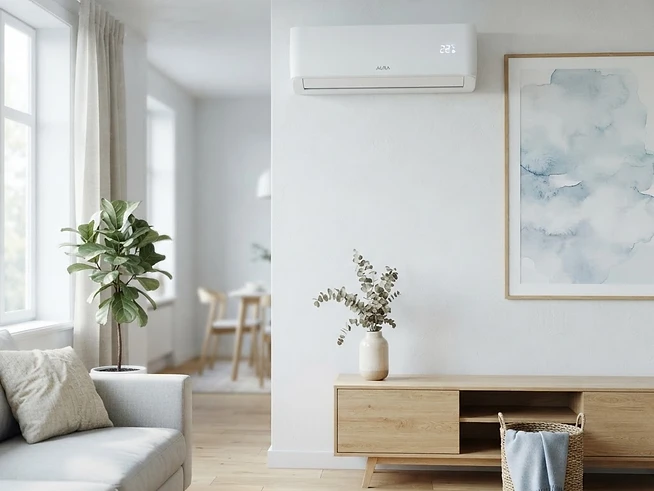
Why smart air conditioning?
Automate by temperature
Switch on only when the room gets warm — no more wasting energy cooling an empty house.
Voice control
“Alexa, turn on the bedroom AC.” Hands-free cooling without finding the remote.
Control from anywhere
Pre-cool a room before you get home, or double-check you switched it off when you left.
Supported ecosystems
Look for the “Smart home” badge on each listing — it shows exactly which platforms a unit works with.
Amazon Alexa
Turn units on/off, set the mode and ask for a target temperature by voice. Ideal for Echo-equipped homes.
Shop Amazon Alexa compatible unitsGoogle Home
Control via Google Assistant on Nest speakers or your phone — “Hey Google, cool the living room to 22°”.
Shop Google Home compatible unitsApple HomeKit
Manage from the Home app and Siri, with automations and scenes alongside your other HomeKit accessories.
Shop Apple HomeKit compatible unitsSamsung SmartThings
Integrate AC into whole-home routines alongside Samsung appliances and third-party sensors.
Shop Samsung SmartThings compatible unitsTuya / SmartLife
The app behind many budget Wi-Fi units — schedules, timers and basic automations from your phone.
Shop Tuya / SmartLife compatible unitsTP-Link Tapo
Pair a Tapo smart plug with a Tapo temperature sensor to automate any mains unit (see below).
Shop TP-Link Tapo compatible unitsAutomate any mains unit with a smart plug & sensor
A portable or window air conditioner doesn’t need its own app to become smart. Pair a TP-Link Tapo smart plug with a Tapo temperature sensor and hub, and the Tapo app will switch the unit on and off at the temperatures you set.
Plug the AC into a smart plug
Use a TP-Link Tapo (or similar) smart plug rated for the unit’s start-up current. Portable and window units are perfect for this.
Add a temperature sensor
A Tapo TH sensor (or any sensor sharing the same app) reports the room temperature to the Tapo hub/app in real time.
Create a temperature rule
In the Tapo app, build an automation: “When temperature rises above 24°C → turn plug ON; when it falls below 22°C → turn plug OFF.”
Layer in voice & schedules
The plug now appears in Alexa/Google, so you can override by voice or set “AC on during the hottest part of the afternoon” schedules.
Top smart-ready units
Most-viewed Wi-Fi & voice-controlled air conditioners, ready to ship.


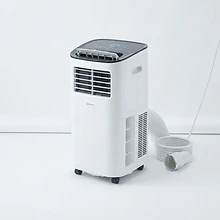
Meaco

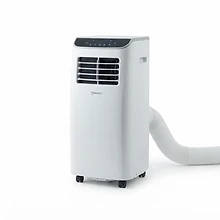
Meaco
Frequently asked questions
Can I make a non-smart air conditioner smart?
Yes. Any mains-powered portable or window unit can be plugged into a smart plug such as a TP-Link Tapo. Pair the plug with a Tapo temperature sensor and hub, then set an automation in the Tapo app to switch the plug (and therefore the air conditioner) on and off at a target temperature. This gives you app and voice control without replacing the unit.
Which voice assistants work with air conditioners in the UK?
Amazon Alexa and Google Assistant are the most widely supported, followed by Apple HomeKit for compatible models. Many Wi-Fi units also work with Tuya/SmartLife or the manufacturer’s own app. Check the product listing’s “Smart home” badge for confirmed compatibility.
Do I need a hub to automate my air conditioner?
Only for sensor-driven automation. A smart plug on its own gives you remote on/off, timers and voice control. To trigger automatically from room temperature you add a temperature sensor and (for TP-Link Tapo) a Tapo hub, all managed in the same app.
Is a smart plug safe for an air conditioner?
Choose a plug rated for at least 13 amps / 3000W and confirm it handles inrush current. Most UK portable and window units sit well within this. Split systems are hardwired and should not be controlled via a plug — use the unit’s built-in Wi-Fi instead.
Will automating my AC save energy?
Yes — temperature-triggered automation stops the unit running once the room is cool, and schedules prevent it running while you’re out. Combined with a smart plug’s energy monitoring, most households see a noticeable drop in runtime.
Find your smart-ready unit
Browse air conditioners confirmed to work with Alexa, Google, Apple Home and more.