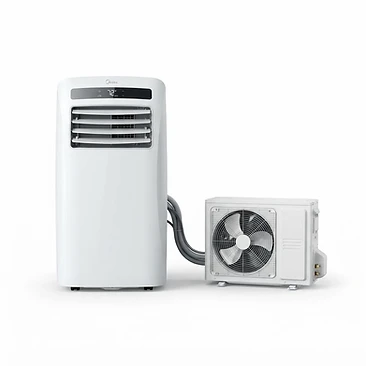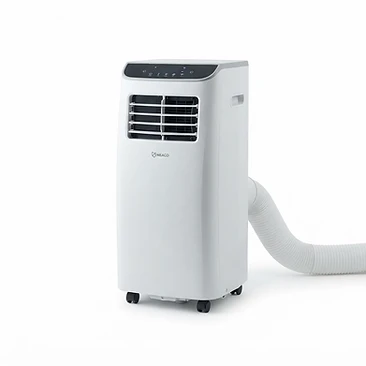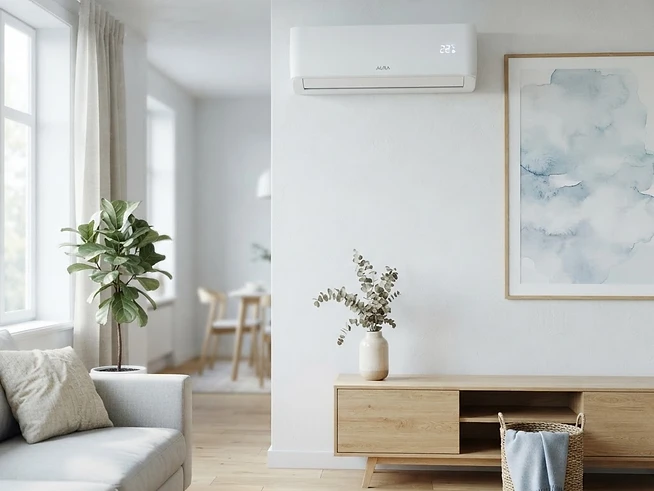
Smart-home air conditioning automation lets your cooling switch itself on when a room gets warm, turn off once it’s comfortable, and respond to your voice or a schedule — so you come home to a cool room and never waste energy cooling an empty one. In the UK, where portable and split units are now common in bedrooms and home offices, automating them is one of the highest-impact upgrades you can make for comfort and running cost. The good news: you don’t need to buy a brand-new Wi-Fi air conditioner. With a smart plug and a temperature sensor, almost any mains-powered unit can become smart in under an hour.
Two ways to make your air conditioner smart
1. A unit with built-in Wi-Fi
Many modern split and portable units ship with a manufacturer app (and often Alexa/Google support). These give you the richest control — modes, fan speed, target temperature — with no extra hardware. Look for the “Smart home” badge on each listing. Browse smart-ready units →
2. A smart-plug retrofit
Any mains-powered portable or window unit can be plugged into a smart plug. Add a temperature sensor in the same app and the plug switches the unit on and off at the temperatures you set. It’s the cheapest route to smart, automated cooling.
Units compatible with your smart home
Pick the app or assistant you already use and we’ll show the air conditioners confirmed to work with it.
What you’ll need
- A 13-amp smart plug (e.g. TP-Link Tapo P110, Hive Active Plug or Meross)
- A compatible temperature & humidity sensor (e.g. TP-Link Tapo T315)
- A hub or bridge if your sensor needs one (the Tapo hub pairs the plug and sensor in one app)
- A mains-powered portable or window air conditioner
Not sure what size unit to automate? Use our BTU calculator first — a correctly sized unit cools far more efficiently than an oversized one that short-cycles.
Choosing the right smart plug
The plug carries the air conditioner’s full load, so rating matters more than brand. Air conditioners draw a high inrush current for a second or two when the compressor starts — a weak plug can trip or, worse, overheat.
- Pick a UK-plug (BS 1363) device rated for at least 13 amps / 3000W.
- Favoured brands for AC automation include TP-Link Tapo, Hive and Meross — all have a matching temperature sensor in the same app.
- Choose one with energy monitoring (e.g. Tapo P110) so you can see exactly what your cooling costs to run.
- Never put a hardwired split system on a smart plug — use the unit’s built-in Wi-Fi or an IR blaster instead.
Choosing a temperature sensor
The sensor is the brain of the automation. It needs to live in the same app as your plug so the two can talk to each other without a cloud round-trip between brands.
- TP-Link Tapo T315 — pairs with Tapo plugs and the Tapo hub; reports temperature and humidity.
- Aqara sensors via an Aqara hub (use an Aqara plug to match).
- Tuya/SmartLife sensors — work with Tuya plugs and many budget units.
Place the sensor near where you sit — not in direct sunlight or right next to the air conditioner’s cold discharge — so it reads the actual room temperature.
Step-by-step: automate your AC with a smart plug and sensor
Plug the air conditioner into a smart plug
Choose a UK smart plug rated for at least 13 amps / 3000W so it can handle the unit’s start-up (inrush) current. Portable and window units are ideal; never put a wired split system on a plug.
Pair a temperature sensor in the same app
Add a Tapo TH sensor (or any sensor that shares your plug’s app) so the room temperature is reported in real time. Keeping both devices in one app is what makes automatic control possible.
Create a temperature-triggered automation
In the app build a rule: “When temperature rises above 24°C → turn plug ON; when it falls below 22°C → turn plug OFF.” Use a 2°C gap to stop the unit rapidly cycling on and off.
Layer in schedules and voice control
Add a schedule so cooling only runs during the hottest part of the day, and link the plug to Alexa or Google for instant voice overrides — “Alexa, turn on the living room AC.”
Tip: keep a 2°C gap between your on and off triggers (e.g. on at 24°C, off at 22°C). This hysteresis stops the compressor rapidly cycling, which protects the unit and saves energy.
Automations and routines
Temperature rules
“Cool when the room exceeds 24°C.” The most powerful automation — the room stays comfortable with zero input from you.
Schedules
Run cooling only during the hottest part of the afternoon or an hour before you get home, not all day.
Voice control
“Alexa, turn on the bedroom AC.” Instant overrides without reaching for a remote or your phone.
Scenes & geofencing
Trigger a “Goodnight” scene that cools the bedroom and turns off the living room, or start cooling when you leave work.
Will it save energy?
Yes — and often noticeably. The two biggest wastes with a manual air conditioner are leaving it running in an empty room and letting it cool past the point of comfort. Automation tackles both:
- Temperature cut-off stops the unit the moment the room is comfortable, so it never over-cools.
- Schedules prevent it running while you’re out or asleep.
- Energy monitoring on plugs like the Tapo P110 shows you the real cost per hour, making it easy to fine-tune.
Pair automation with a correctly sized unit (use our BTU calculator) for the biggest savings — an oversized unit short-cycles and wastes power even when smart.
Safety & compatibility checklist
- Smart plug rated 13A / 3000W minimum, with inrush-current handling.
- Portable or window unit only — never a hardwired split system.
- Sensor and plug in the same app/ecosystem.
- 2°C hysteresis between on and off triggers.
- Sensor placed away from direct sun and the cold air discharge.
- Test the automation for a few days before relying on it overnight.
Installing a wired split system? Let us match you with a local HVAC engineer — a professional install keeps your warranty intact.
Troubleshooting
The unit won’t switch on via the plug. Check the plug’s max load and that the air conditioner is switched on at its own panel — a smart plug can’t power a unit that’s turned off at the unit.
The automation keeps toggling on and off. Widen your temperature gap to 2–3°C and move the sensor away from the cold air stream so it reads room temperature, not chilled air.
Voice control doesn’t see the AC. Re-link the skill in the Alexa/Google app and make sure the plug is named clearly (e.g. “Living Room AC”), not left as a generic device name.
Frequently asked questions
Can I automate a non-smart air conditioner with a smart plug?
Yes. Any mains-powered portable or window unit can be plugged into a 13-amp smart plug such as a TP-Link Tapo. Pair the plug with a Tapo temperature sensor, then set an automation in the Tapo app to switch the plug — and therefore the air conditioner — on and off at a target temperature. You get app, schedule and voice control without replacing the unit.
Which temperature sensor works with a smart-plug air conditioner?
Use a sensor from the same ecosystem as your plug so both live in one app. TP-Link Tapo sensors (e.g. T315) pair with Tapo plugs and the Tapo hub; Aqara and Tuya sensors work with their matching hubs. The sensor only needs to report temperature — the plug does the switching.
What temperature hysteresis should I set for AC automation?
Use a 2°C gap between the on and off triggers — for example, switch on above 24°C and off below 22°C. This prevents the air conditioner from rapidly cycling, which is hard on the compressor and wastes energy.
Is a smart plug safe for an air conditioner?
Choose a plug rated for at least 13 amps / 3000W and confirm it handles inrush current. Most UK portable and window units sit well within this. Wired split systems are hardwired and should never be put on a plug — use the unit’s built-in Wi-Fi instead.
Does smart-plug air conditioning work with Alexa and Google Home?
Yes. Once the plug is set up in its app, enable the matching Alexa or Google skill and the air conditioner appears as a switch you can control by voice. You can also include it in routines and scenes alongside your other smart devices.
Will automating my air conditioner save energy?
Yes. Temperature-triggered automation stops the unit once the room is cool, and schedules prevent it running while you’re out. Combined with a smart plug’s built-in energy monitoring, most households see a clear drop in runtime and running cost.